WhatsApp Tutorials
How to Set Up WhatsApp Auto-Reply with Keyword Triggers
Reply to price, timing and location questions on WhatsApp automatically, 24/7. Set up a keyword trigger, write a personalised reply, and understand the 24-hour window. With a 1-minute video walkthrough.
Padmesh Bhavsar · Founder, InboundSage · 4 November 2026 · 5 min read
Customers ask the same questions every day: what is the price, what are your timings, where are you located. Answering them by hand takes hours a week, and the ones that arrive at 11 pm wait until morning, by which time the customer has messaged a competitor.
A keyword trigger answers them for you. When a message contains a word you choose, InboundSage sends your reply instantly, day or night. The video above sets one up in about a minute.
Step 1: Create the automation
Go to Automations → New Automation. Choose the Keyword trigger and click Continue. Give it a name you will recognise, like "Price enquiry auto-reply", and click Create automation.
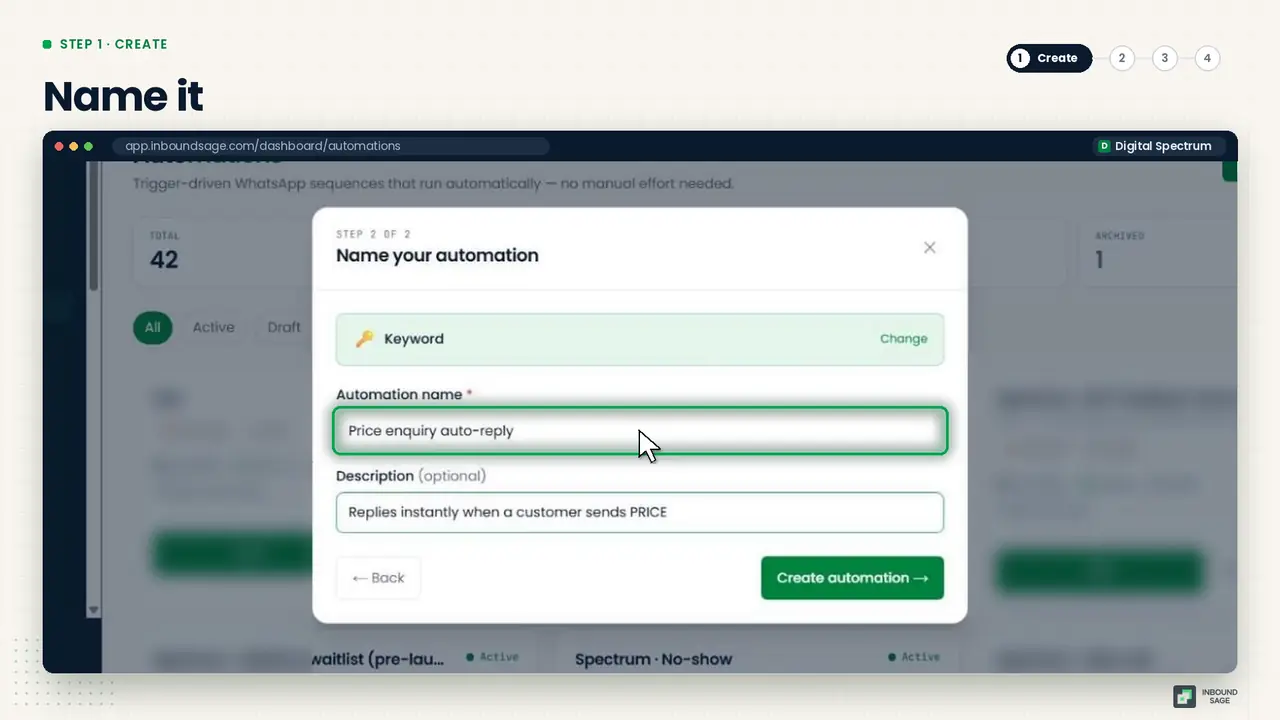
Step 2: Add your keywords
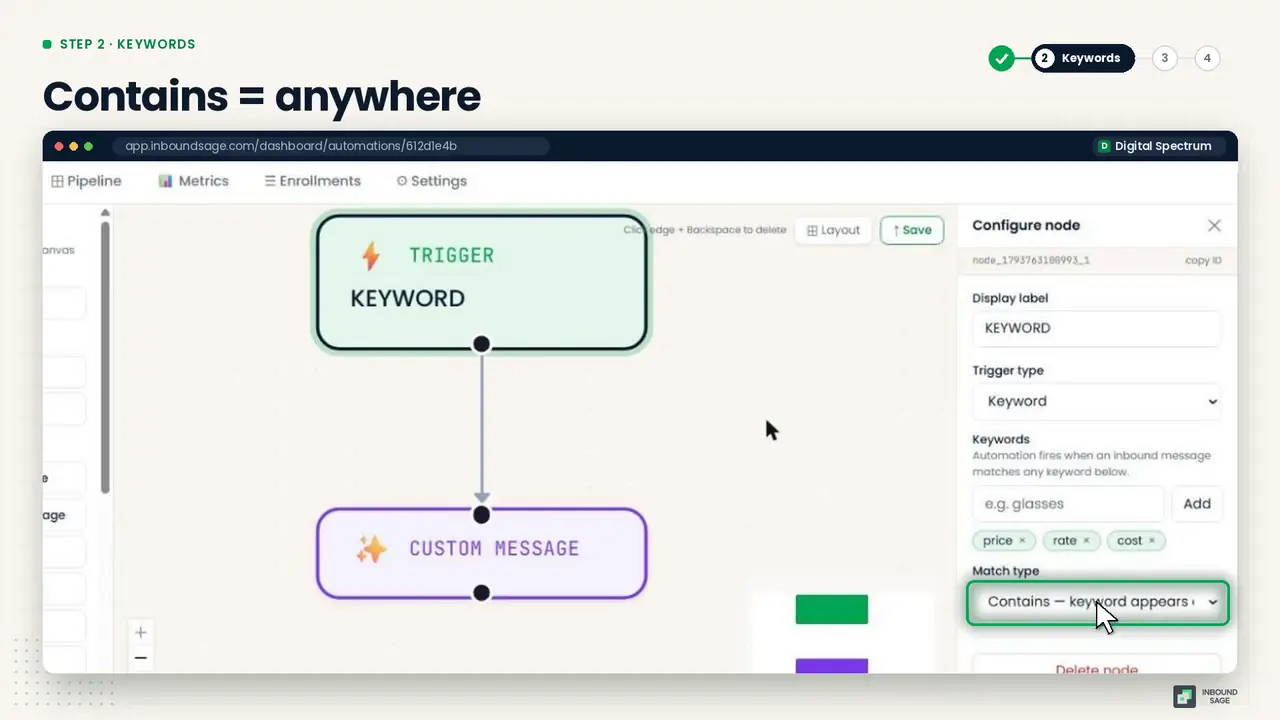
Drag a Trigger onto the canvas and add the words customers actually use. For a price question that is usually price, rate and cost. Add the Hindi or Marathi words your customers type too, such as kitna or kiti.
Set the match to Contains, so the automation fires when the word appears anywhere in the message. "What is the price for 2 people?" matches price.
Step 3: Write your reply
Drag in a Custom Message and connect it to the trigger. Write the answer and add the contact's name to make it personal:
Hi {{contact.name}}, thanks for asking! Our packages start at ₹999. Reply BOOK to reserve a slot.
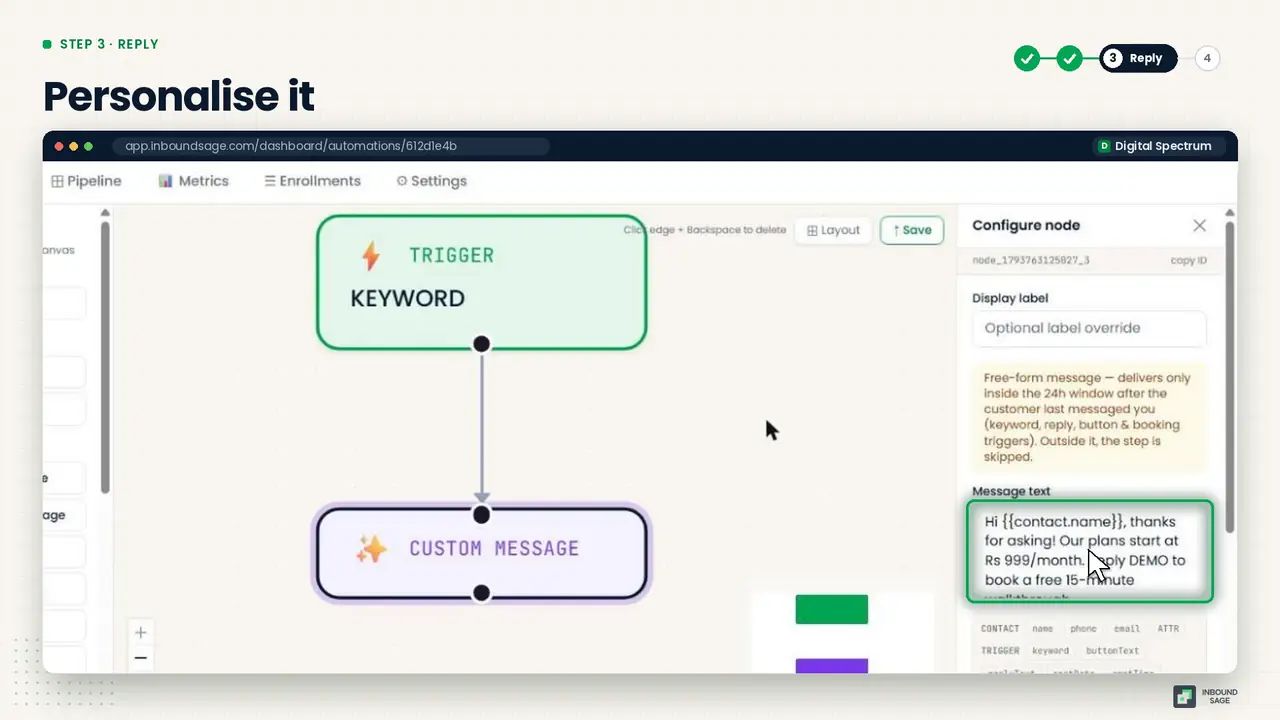
End with a next step, a keyword to book or a link, so the conversation moves forward instead of stopping.
Why it sends instantly: the 24-hour window
WhatsApp lets a business send free-form messages for 24 hours after the customer's last message. Because a keyword reply only fires when the customer has just written to you, it is always inside that window. So you do not need an approved template for it, and it goes out the moment the message arrives.
Step 4: Save and activate
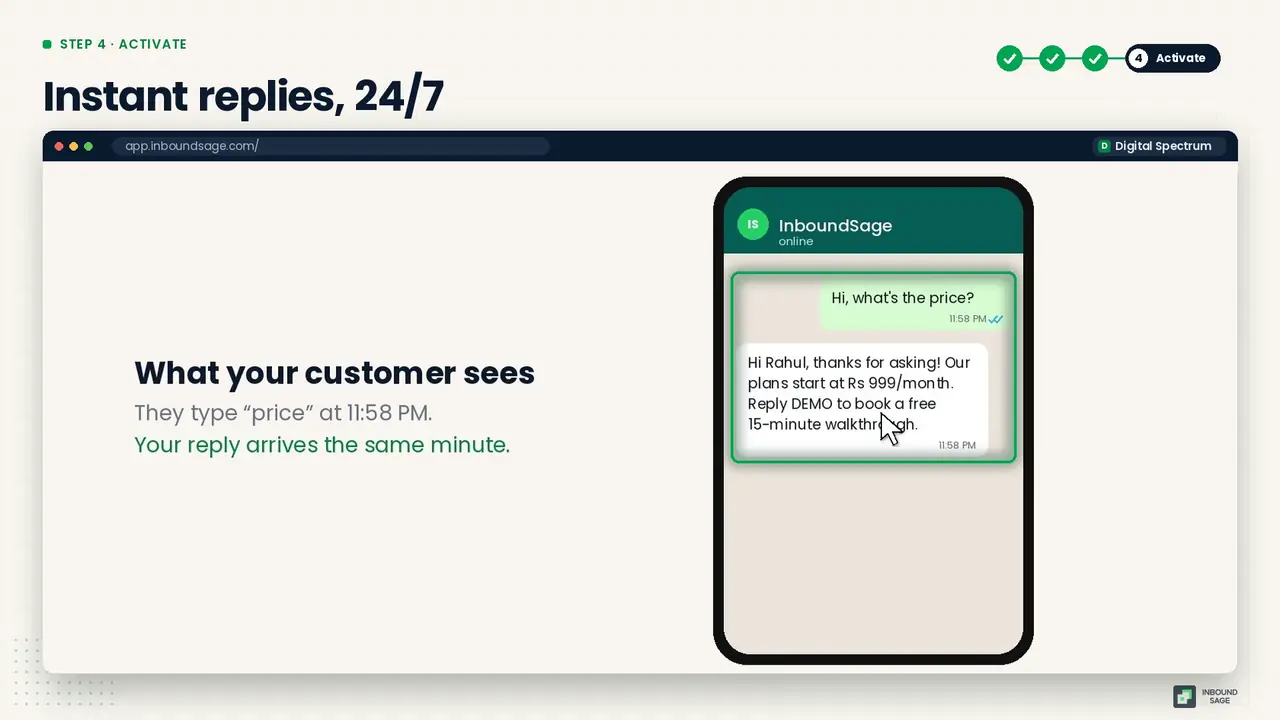
Click Save, then Activate. Send the keyword from your own phone to test it. From now on, anyone who types "price" gets your answer in seconds, even at midnight.
Keyword replies worth setting up first
- Price / rate / cost: your starting price and how to book.
- Timing / hours / open: working hours and holidays.
- Location / address / map: address with a Google Maps link.
- Book / appointment: hand off to WhatsApp appointment booking.
FAQ
Do auto-replies cost money?
Replies sent inside the 24-hour customer service window are not template messages. Check our pricing page for how service conversations are billed under Meta's current rates.
What does the "Contains" match mean?
The trigger fires if the keyword appears anywhere in the message, not only when the message is exactly that word.
Can one automation listen for several keywords?
Yes. Add every word that means the same thing, like price, rate, cost and kitna, to the same trigger.
Will the auto-reply stop my team from replying?
No. The conversation still lands in the team inbox, so a person can take over at any time.
Try it on your own WhatsApp number
InboundSage is a Verified Meta Tech Provider platform for Indian businesses: broadcasts, segments, keyword auto-replies, appointment booking and a team inbox, on your own WhatsApp Business number. Set it up in an evening.